- Requirements
- Usage
- Edit the default generated values in the templates:
- Change the Documentations URL’s
- Edit the Documentation Header
- API Documentation Headers Example
Every great API needs a great Documentation.
Apiato make writing and generating documentations very easy with the php artisan apiato:docs command.
Requirements
- Install the ApiDocJs tool, the project directory
- (
npm install apidoc)
- (
- (Recommended) read the Routes page first.
Usage
1 - Write a PHP docblock on top of your endpoint like this:
For more info about the parameters check out ApiDocJs documentation
<?php

/**
 * @apiGroup           Authentication
 * @apiName            UserLogin
 * @api                {post} /users/login User Login
 * @apiDescription     Description Here....
 * @apiVersion         1.0.0
 * @apiPermission      none
 *
 * @apiHeader          Accept application/json
 *
 * @apiParam           {String}     email
 * @apiParam           {String}     password
 *
 * @apiSuccessExample  {json}       Success-Response:
 *   HTTP/1.1 200 OK
 *   {
 *     "data": {
 *       "id": "owpzanmh",
 *       "name": "Super Admin",
 *       "email": "admin@admin.com"
 *       ...
 *   }
 *
 * @apiErrorExample  {json}       Error-Response:
 *   {
 *      "message":"401 Credentials Incorrect.",
 *      "status_code":401
 *   }
 *
 * @apiErrorExample  {json}       Error-Response:
 *   {
 *      "message":"Invalid Input.",
 *      "errors":{
 *         "email":[
 *            "The email field is required."
 *         ]
 *      },
 *      "status_code":422
 *   }
 */

$router->post('users/login', [
    'uses' => 'Controller@userLogin',
]);
Note: All the Endpoints DocBlocks MUST be written inside Routes files, otherwise they won’t be loaded.
2 - Run the documentations generator command from the root directory:
php artisan apiato:docs
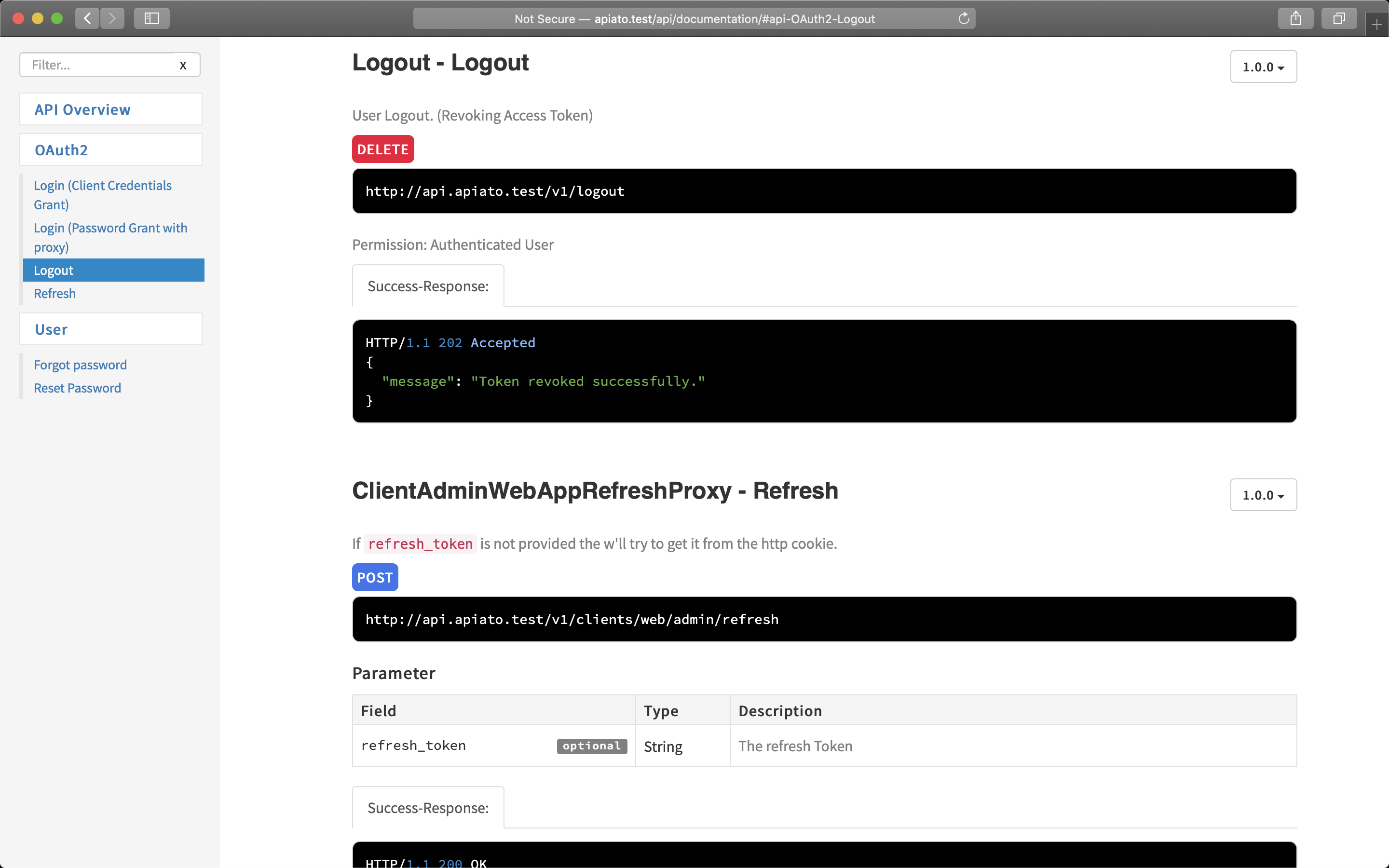
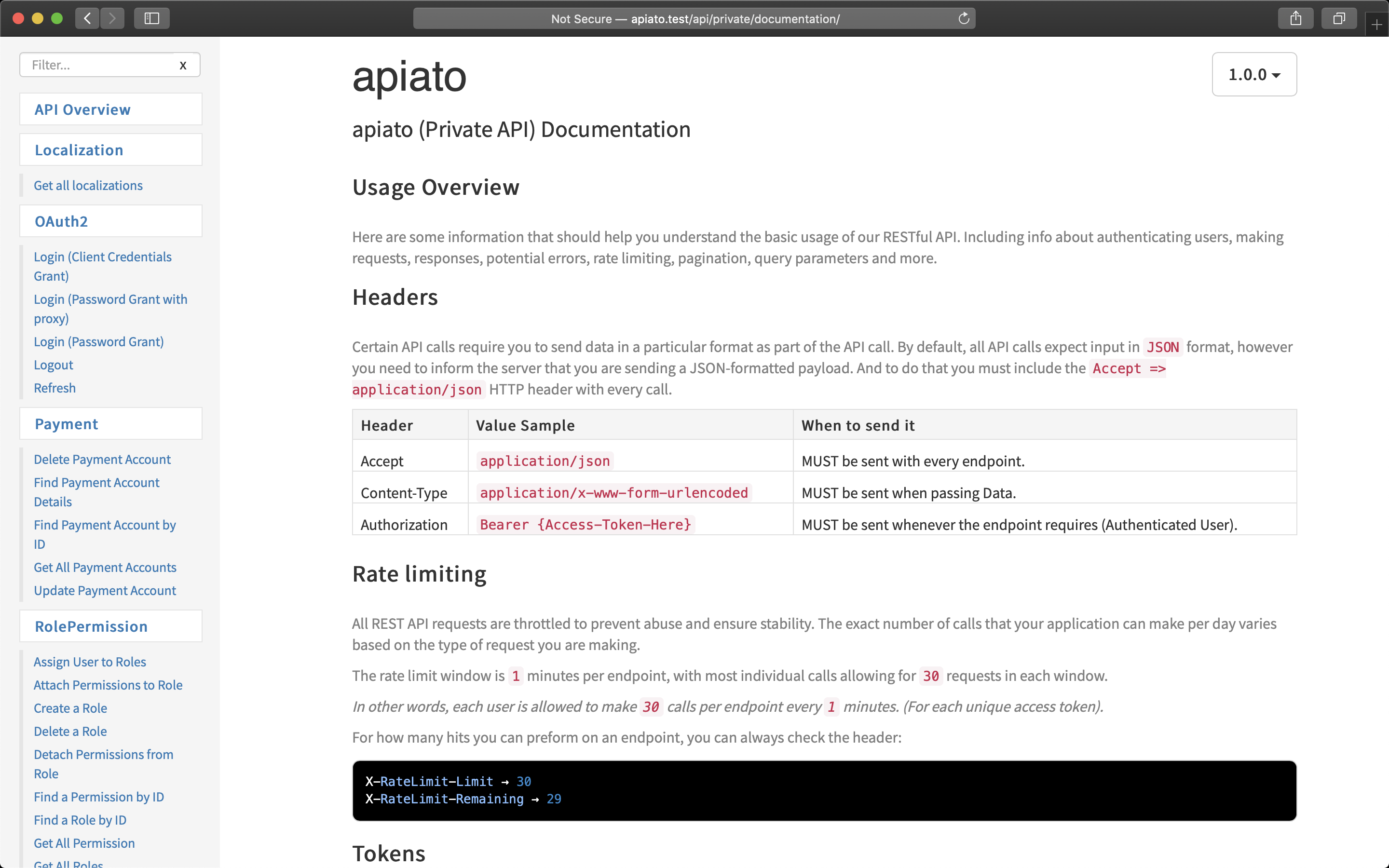
3 - Visit this URL’s as shown in your terminal:
- Public (external) API at http://apiato.test/api/documentation/.
- Private (internal) API at http://apiato.test/api/private/documentation/.
NOTE: Every time you change the DocBlock of a Route file you need to run the apiato:docs command, to regenerate.
Error: ApiDoc not found !!
If you get an error (apidoc not found),
-
open the container config file
Containers/Documentation/Configs/apidoc.php -
edit the
executablepath to$(npm bin)/apidocor to however you access theapidoctool on your machine.
<?php
    /*
    |--------------------------------------------------------------------------
    | Executable
    |--------------------------------------------------------------------------
    |
    | Specify how you run or access the `apidoc` tool on your machine.
    |
    */

    'executable' => 'apidoc',
Shared response for faster updating and less outdated responses:
To prevent duplicating the responses between routes, let’s create a shared response for each object.
Example: _user.v1.public.php will contain all responses (single, multiple..) of the User:
<?php

/**
 * @apiDefine UserSuccessSingleResponse
 * @apiSuccessExample {json} Success-Response:
HTTP/1.1 200 OK
{
   "data":{
      "object":"User",
      "id":eqwja3vw94kzmxr0,
   },
   "meta":{
      "include":[],
      "custom":[]
   }
}
 */
Usage of the shared User response from any endpoint:
* @apiUse UserSuccessSingleResponse
To avoid having to generate and update the Single and Multiple responses of the same object (recommended only for private API’s)
you can use the general shared Multiple Response * @apiUse GeneralSuccessMultipleResponse
which you can find and modify it from app/Containers/Documentation/UI/API/Routes/*
Edit the default generated values in the templates:
Apiato generates by defaults 2 API documentations, each one has it’s own apidoc.json file. Both can be modified from the Documentation Containers in Containers/Documentation/ApiDocJs/
apidoc.json Example file:
{
  "name": "Apiato",
  "description": "Apiato (Private API) Documentation",
  "title": "Welcome to Apiato",
  "version": "1.0.0",
  "url" : "http://api.apiato.test",
  "template": {
    "withCompare": true,
    "withGenerator": true
  },
  "header": {
    "title": "API Overview",
    "filename": "app/Containers/Documentation/ApiDocJs/private/header.md"
  },
  "footer": {
    "title": "Footer",
    "filename": "app/Containers/Documentation/ApiDocJs/private/header.md"
  },
  "order": [

  ]
}
Change the Documentations URL’s
Edit the config file of the Documentation Container Containers/Documentation/Configs/apidoc.php
<?php

return [

    /*
    |--------------------------------------------------------------------------
    | Executable
    |--------------------------------------------------------------------------
    |
    | Specify how you run or access the `apidoc` tool on your machine.
    |
    */

    'executable' => 'apidoc',

    /*
    |--------------------------------------------------------------------------
    | API Types
    |--------------------------------------------------------------------------
    |
    | The `types` helps generating multiple documentations, by grouping them
    | under types names. You can add or remove any type. By default
    | `public` and `private` types are set.
    |
    | url: The url to access that generated API documentation.
    |
    | routes: The route file to read when generating this documentation.
    |         Every route file will have the following name format:
    |         `{endpoint-name}.v{version-number}.{documentation-type}.php`.
    |
    */

    'types' => [

        'public' => [
            'url' => 'api/documentation',
            'routes' => [
                'public',
            ],
        ],

        'private' => [
            'url' => 'api/private/documentation',
            'routes' => [
                'private',
                'public',
            ],
        ],
    ],


    /*
    |--------------------------------------------------------------------------
    | HTML files
    |--------------------------------------------------------------------------
    |
    | Specify where to put the generated HTML files.
    |
    */

    'html_files' => 'public/'


    // ...
];
Edit the Documentation Header
The header usually is the Overview of your API. It contains Info about authenticating users, making requests, responses, potential errors, rate limiting, pagination, query parameters and anything you want.
All this information are written in app/Containers/Documentation/ApiDocJs/shared/header.template.md file, and the same file is used as header for both private and public documentations.
To edit the content just open the markdown file in any markdown editor and edit it.
You will notice some variables like and. Those are replaced when running apidoc:generate with real values from your application configuration files.
Feel free to extend them to include more info about your API from the app/Containers/Documentation/Actions/ProcessMarkdownTemplatesAction.php class.
API Documentation Headers Example
